RSS Feed

From July 2026, single touch data submission requires a new security step to authorise c9 to send this data.
Basic outline
- get a SSID attached to your ABN as stored in c9
- Login to ATO portal
- Provide that SSID to ATO portal
Without the above STP submissions will fail.
Step 1 - get SSID
In c9 goto business -> payroll -> setup -> payday SuperStream
First tab you will see this screen:
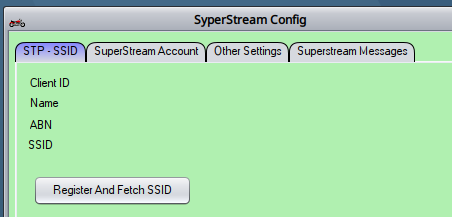
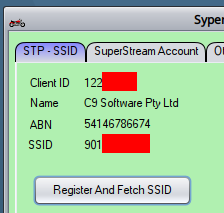
Click on 'Register and Fetch SSID' to get the SSID. Before doing this confirm ABN in dealership details is correct
Result. right click on SSID to copy this.
Step 2 - login to ATO portal
Login to ATO Access Manager portal with following address. You'll need to login using mygov ID and provide appropriate details for your ABN
https://am.ato.gov.au/amsupport/pages/welcome.htm
Step 3 - provide SSID to Portal
In left hand side of portal screen you'll see menu. Click on option "My Hosted Software Services"
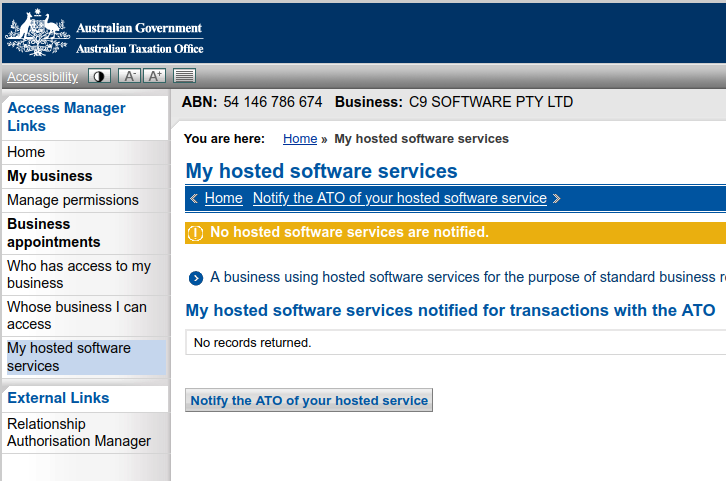
Click Button Notify the ATO of your hosted service
on next screen search for 'ozedi' : OzEDI are the stp integration partner c9 uses
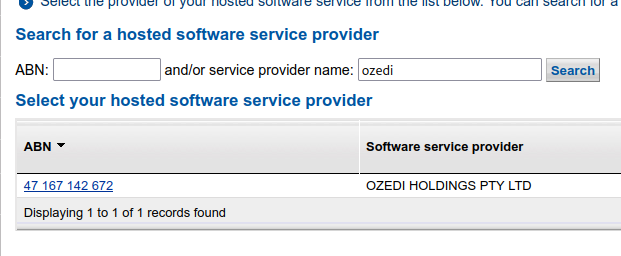
Click on result , on next screen key in SSID as per what you see in c9 and click Next
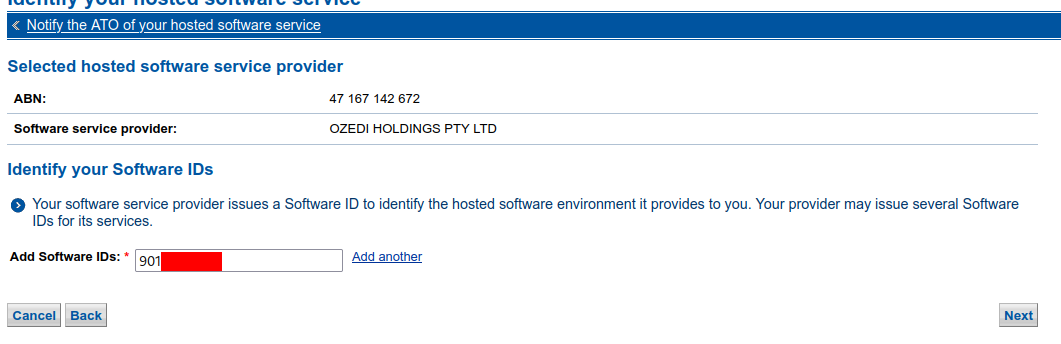
On next screen, click Save
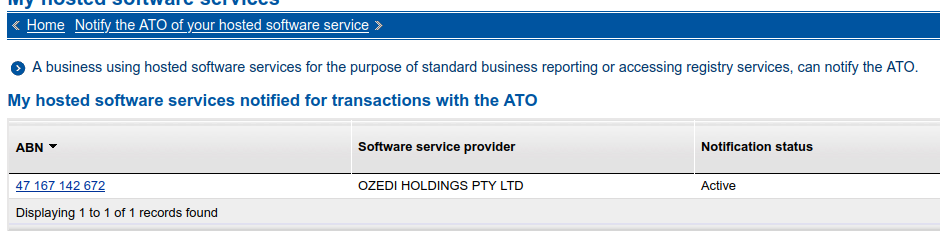
Once finished you should see a result similar to this. You can drill into record to recheck the SSID