RSS Feed

C9 in your shop can be accessed anywhere from the internet.
The service is similar to other remote access services, except that it is designed especially for c9 and provides the following:
- Remote networking technology is faster, more responsive and uses less network bandwidth than more generic remote access solutions
- Feels like c9 is running on your own computer. Access local files (install master file, create backup file), access local printers
Read on to learn how to access this service.
Step 1 – configure logins to use this service
In c9 goto setup -> other settings -> login users.
You can either edit an existing login to setup remote access or create a new login especially for access.
There are 2 critical settings and 2 optional
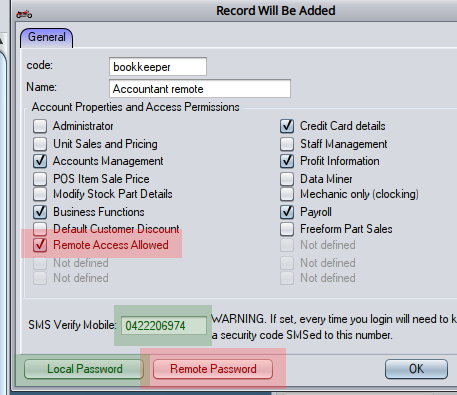
1a : enable remote access allowed option
1b: make sure you setup a remote password
Optional 1c : it s recommended you assign a local password too. remote password connects you remotely, local password is needed for usual c9 login screen
Optional 1d: it is recommeneded to enforce 2 factor authentication by added a sms verify mobile number. all remote logins require providing a mobile phone number for 2FA, but this option locks the login to the specific number inputted here
Step 2 – install remote client
C9 remote client can be downloaded off this page. Just download and install from here. The installer installs everything you need , including Java
https://c8software.com.au/remote/
Step 3 – run
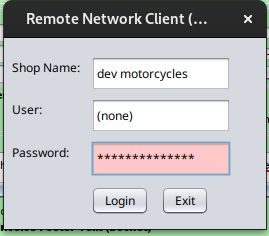
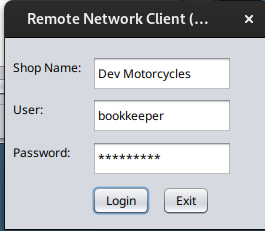
You should now be able to login. Shop name is name of the shop as it is seen in top right of c9 normally
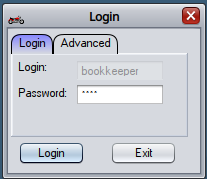
As you push on you’ll now need to provide local password
Final step is 2Fa as per the alert. e.g.:
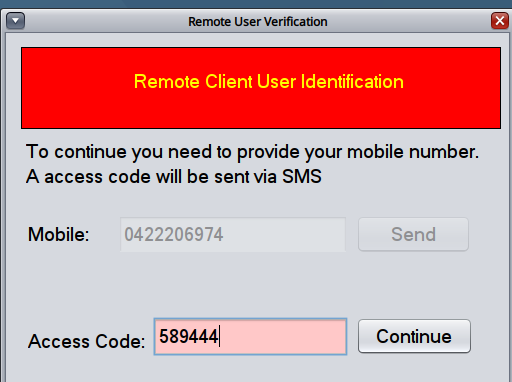
Note: from a given client, 2FA mobile only needs to be done once a day per installed remote access system. 2FA validation is memorised in case you need to login again later in the day
Older access method : global password
There is an older connectivity method, its usage is discouraged and instead should be disabled. Instead in main setup screen you can configure a global remote access password

On login with remote client, leave user blank and provide rthe online password. Once logged in you choose user to login as you would normally if you were running c9 in the shop